Test Center-Based Exam
Note: The slots will become available 72 hours after the date the candidate schedules the exam. Availability may vary depending on the client’s request.
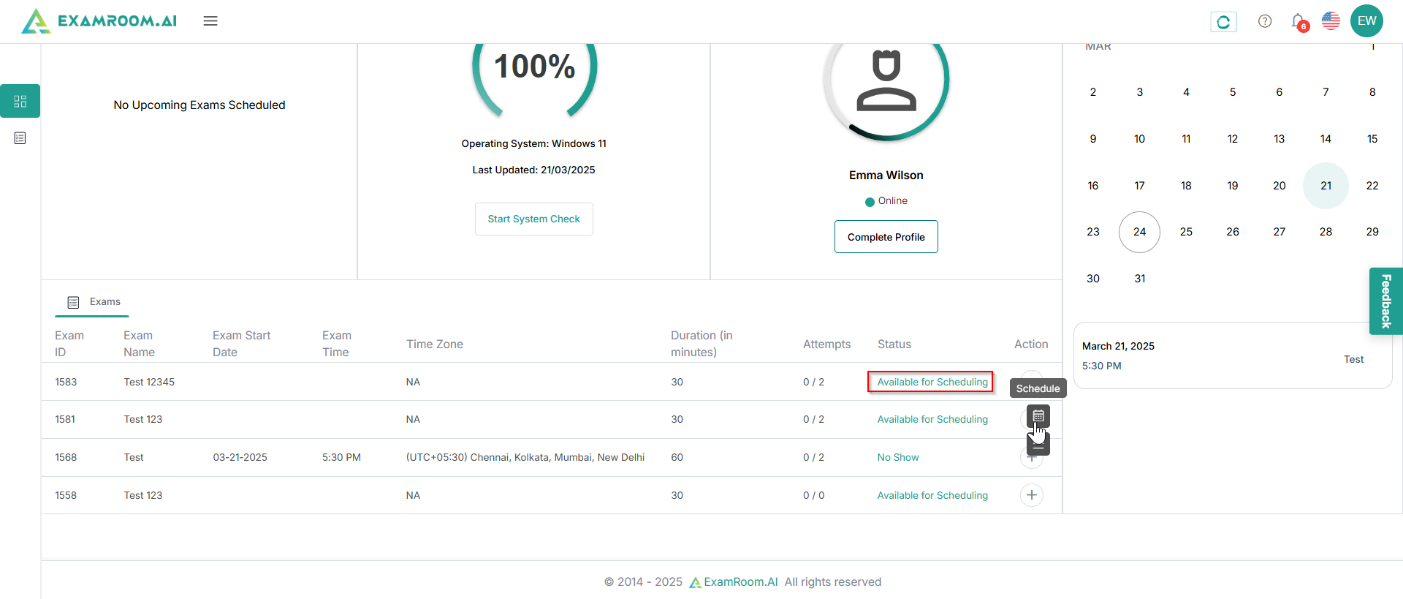
- On the Candidate Dashboard, go to the Exams section. If the exam status shows Available for Scheduling, click Schedule under Actions to proceed.
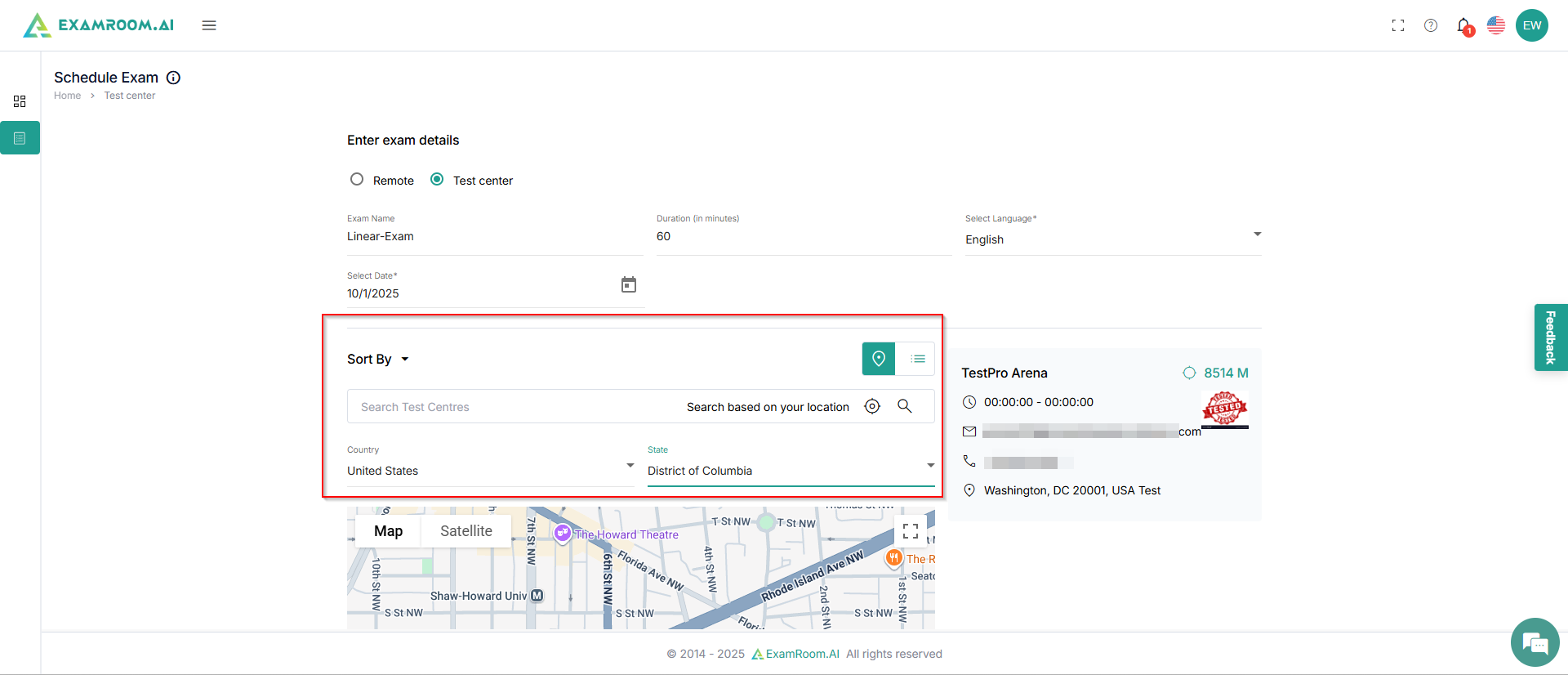
- After clicking Schedule Exam, the next screen will display exam details, which are populated based on your exam sponsor setup.
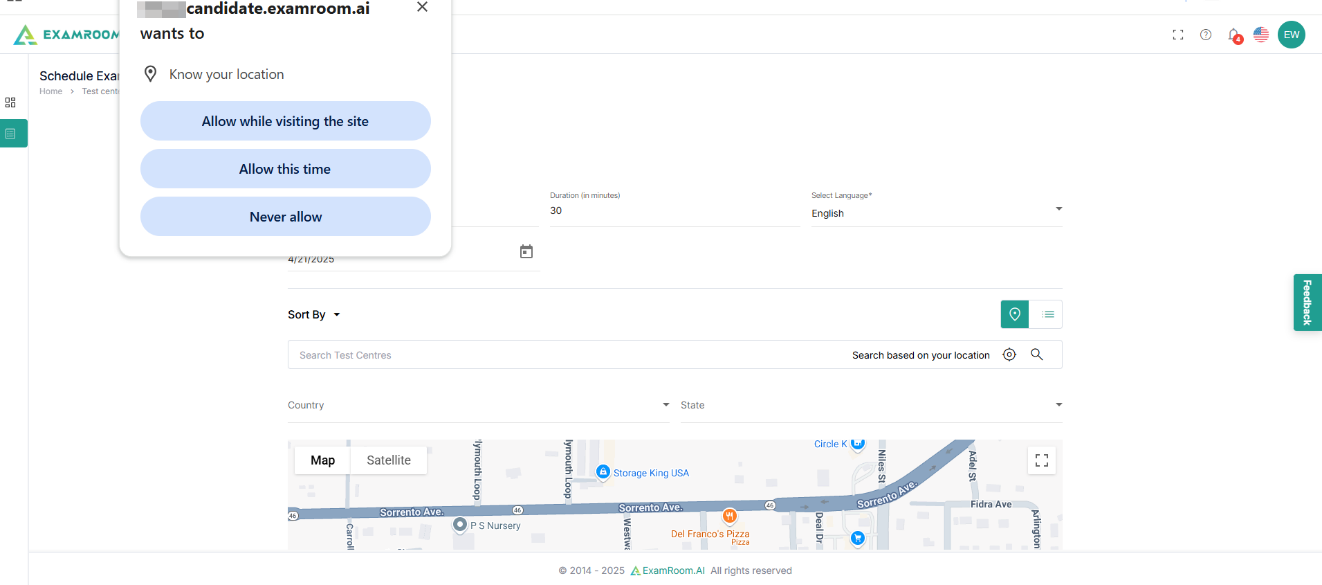
- A pop-up appears on your screen to provide location access. Click Allow to grant access to your location.
- Enter Country and State to see nearby test centers. You can also type in any center name and search.
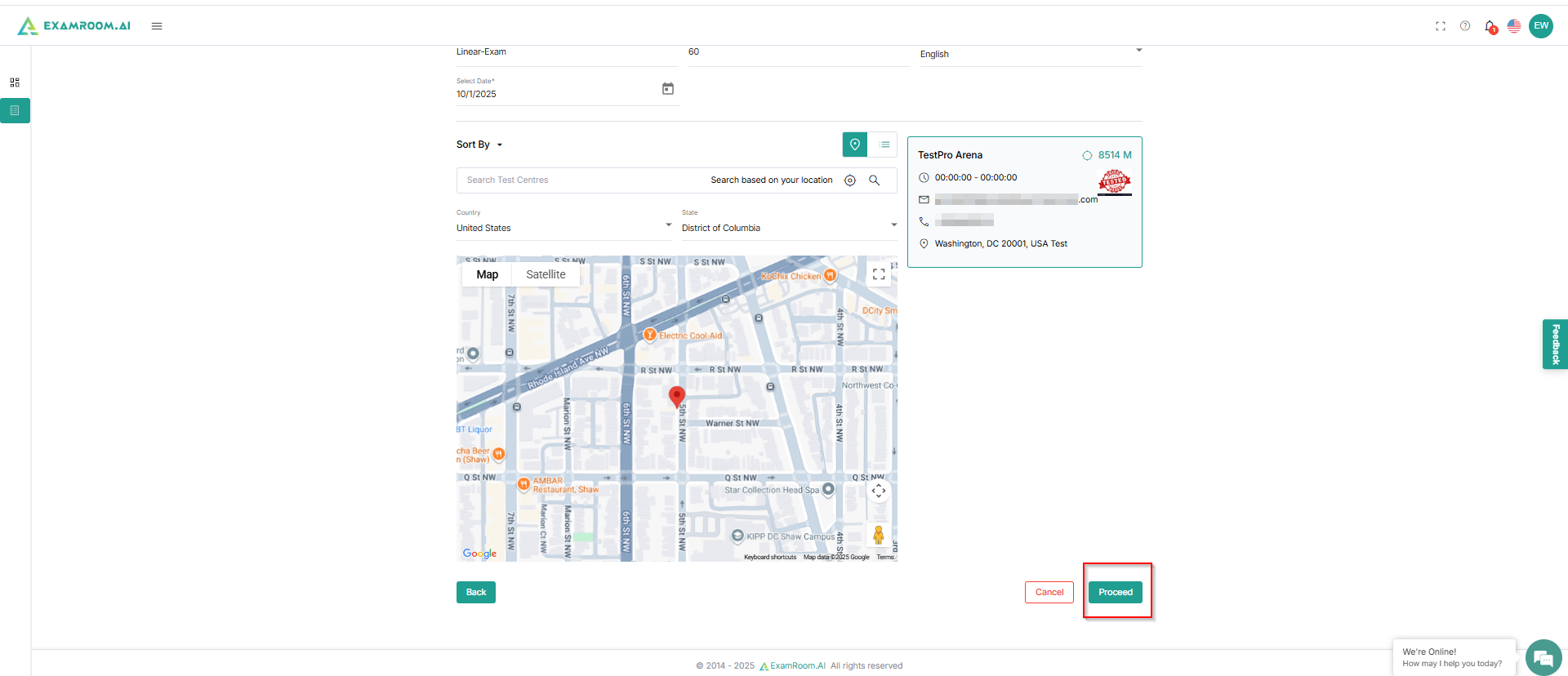
- The list of test centers for your location appears on the right side of the screen. Select your preferred center, then click Proceed.
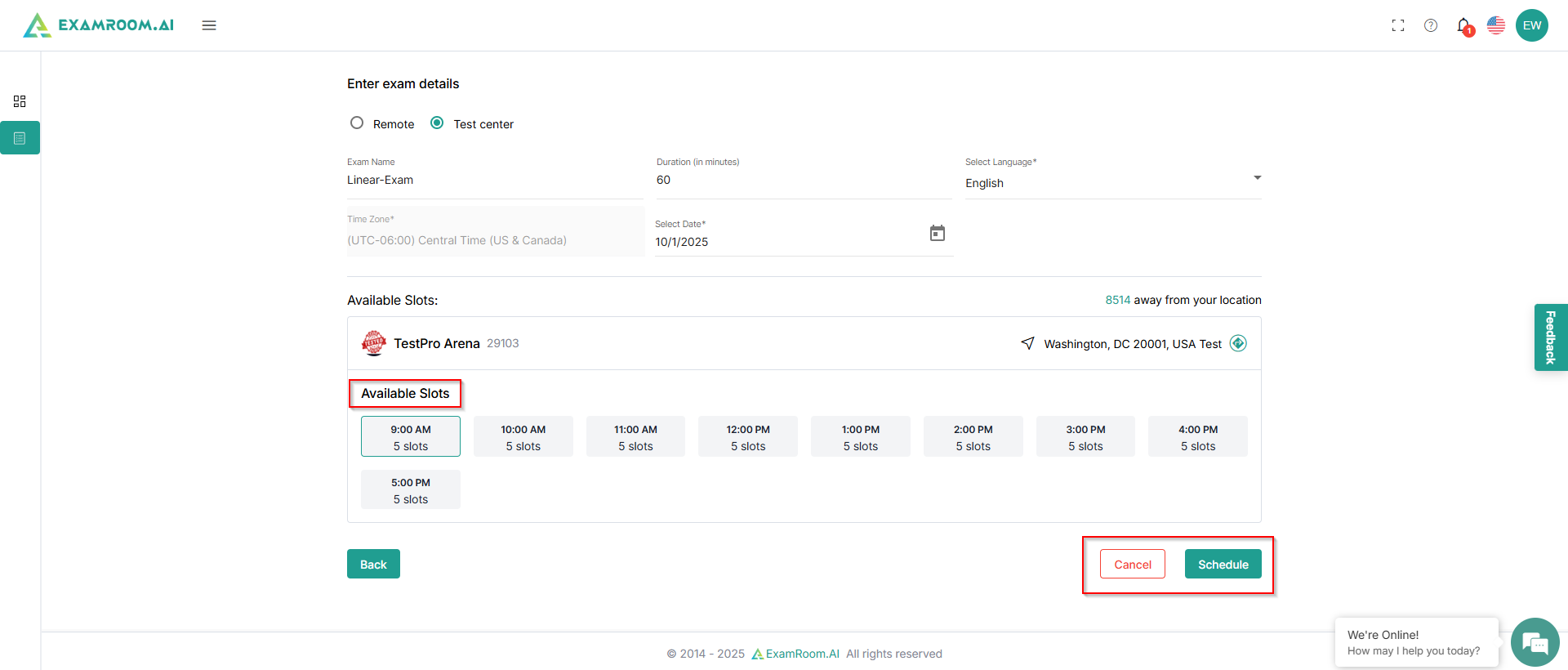
- Select your desired time slot and click Schedule.
- If the exam does not require payment, the exam will be scheduled automatically without payment, and a success notification will appear on the screen.
- If your exam requires payment, ensure you complete the payment, if applicable. Making the payment finalizes your exam appointment. Your exam will be added to the cart so you can complete payment. See Payment. The necessity of payment depends on the exam type or the sponsor's settings.